Everything GenZTrade does, in plain English. Use this as a reference any time you're not sure what a tab or feature does.
New to the platform? Start with the Quick Start below.
📺 Video tutorials
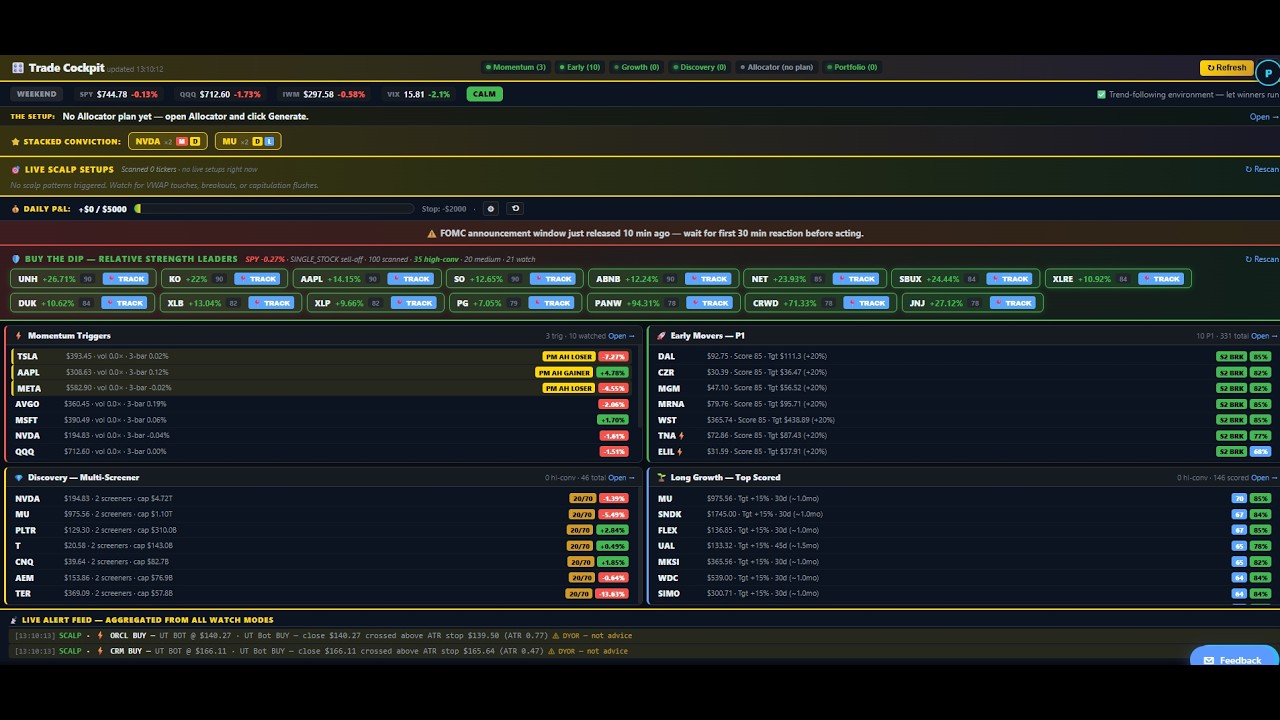
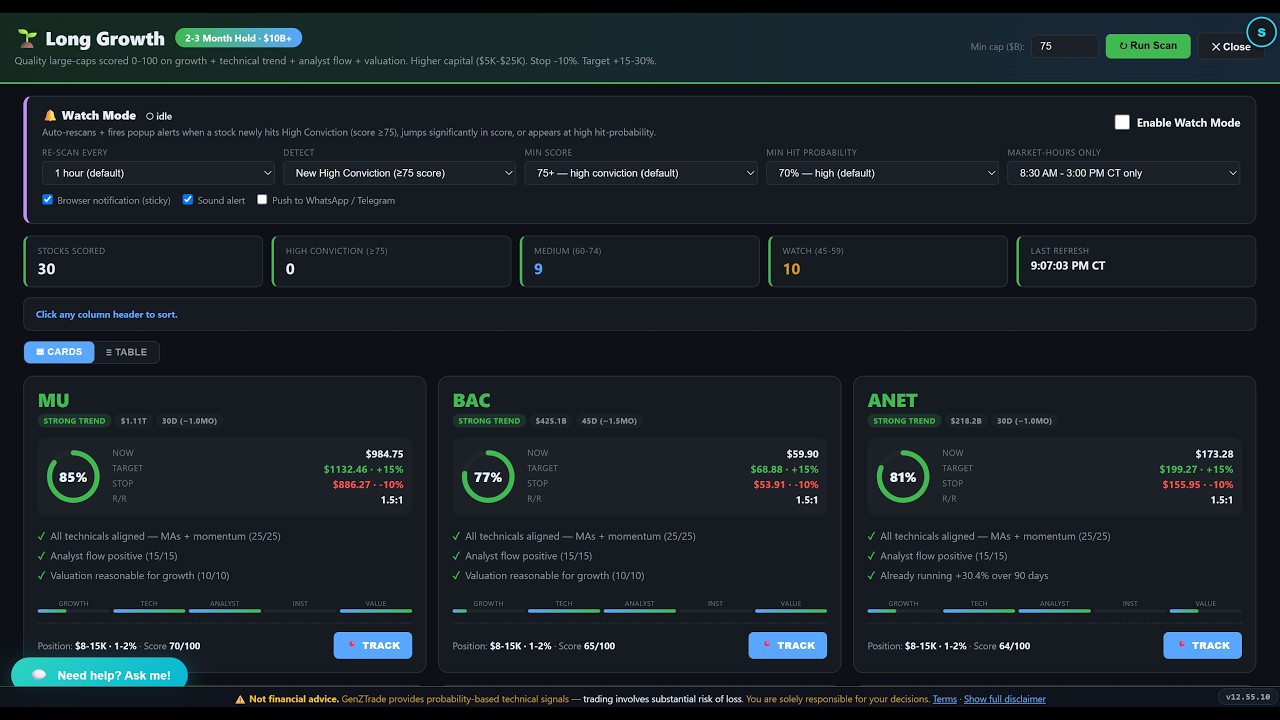
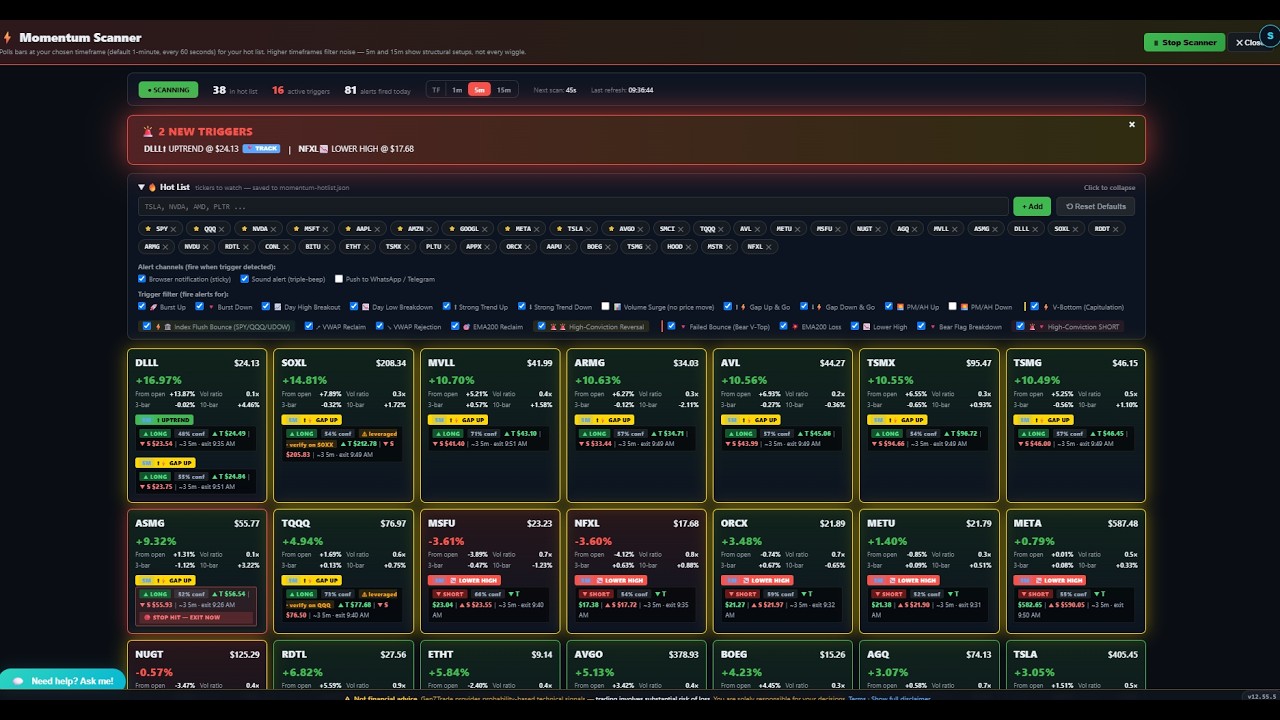
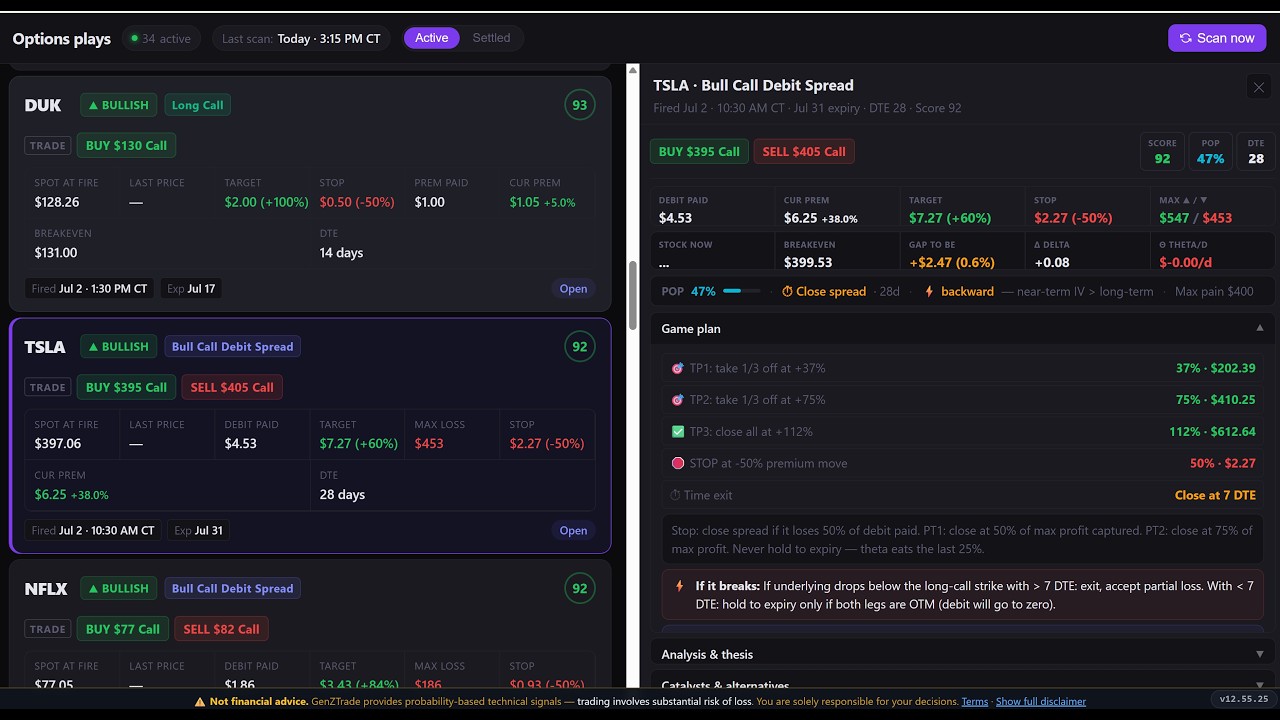
📖 Jump to a section
What is GenZTrade?
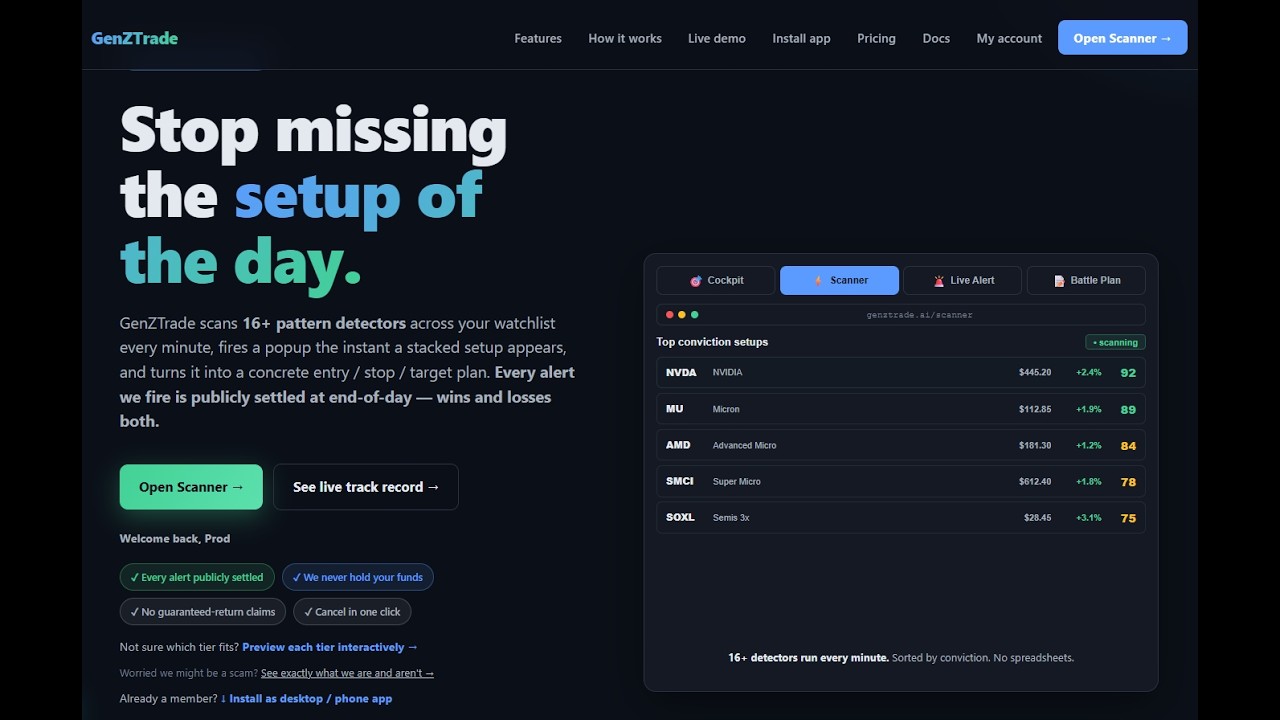
GenZTrade is a real-time trading intelligence platform for active traders. We surface high-probability technical setups across stocks and ETFs by running market data through 16+ independent signal detectors, then push alerts to your browser the moment a setup fires.
What you get:
- Real-time scalp alerts on 1-minute bars with audio + popup notifications
- A unified Cockpit dashboard showing live conviction signals, your tracked trades, P&L, and active hedges
- Multi-strategy scanner for day trading, swing, long calls, and credit spreads
- AI-driven Allocator (Pro+) — synthesizes scanners + portfolio into specific orders
- Portfolio tracking, trade journal, and macro calendar
Plans at a glance
Free $0
- Market briefing
- Earnings calendar (14 days)
- Pricing & FAQ
- Watch the product
Trader $49/mo
- Cockpit dashboard
- Scalp Alerts (16+ detectors)
- Live SSE push alerts
- Chart modal w/ overlays
- Trade Journal + position tracker
- Allocator (AI)
- Buy-the-Dip scanner
- Macro Calendar & Morning Briefing
Pro $99/mo
- Scalp Confluence detector (30s–5min)
- Crash Bottom + Sympathy plays
- Pre-market / After-hours Radar
- Trade Director AI (50 calls/day)
- Long Growth Scanner
- Sector Rotation + Unusual Volume + Buy-the-Dip filters
- Long Calls (delta + theta tracking)
Elite $159/mo
- Momentum Scanner (16 trigger types)
- Trade Cockpit + Risk Cockpit
- Bull Put Spreads + Iron Condors
- Battle Plan AI (overnight weekly thesis)
- Unlimited AI calls
- Custom watchlist (200 tickers)
Alpha $249/mo
- Insider Watch (SEC Form 4 clusters)
- Earnings Radar + positioning
- Catalysts (gov contracts + 8-K)
- Index Pulse (vol regime, max pain, IV)
- Discovery + Watch Mode (off-watchlist)
- Recovery + multi-account manager
- Priority support (8-hour SLA)
🚀 Quick Start (5 minutes)
- Sign up at /signup. Your 7-day Trader trial activates automatically.
- Acknowledge the risk disclaimer on first load (one-time, click "I Understand & Accept").
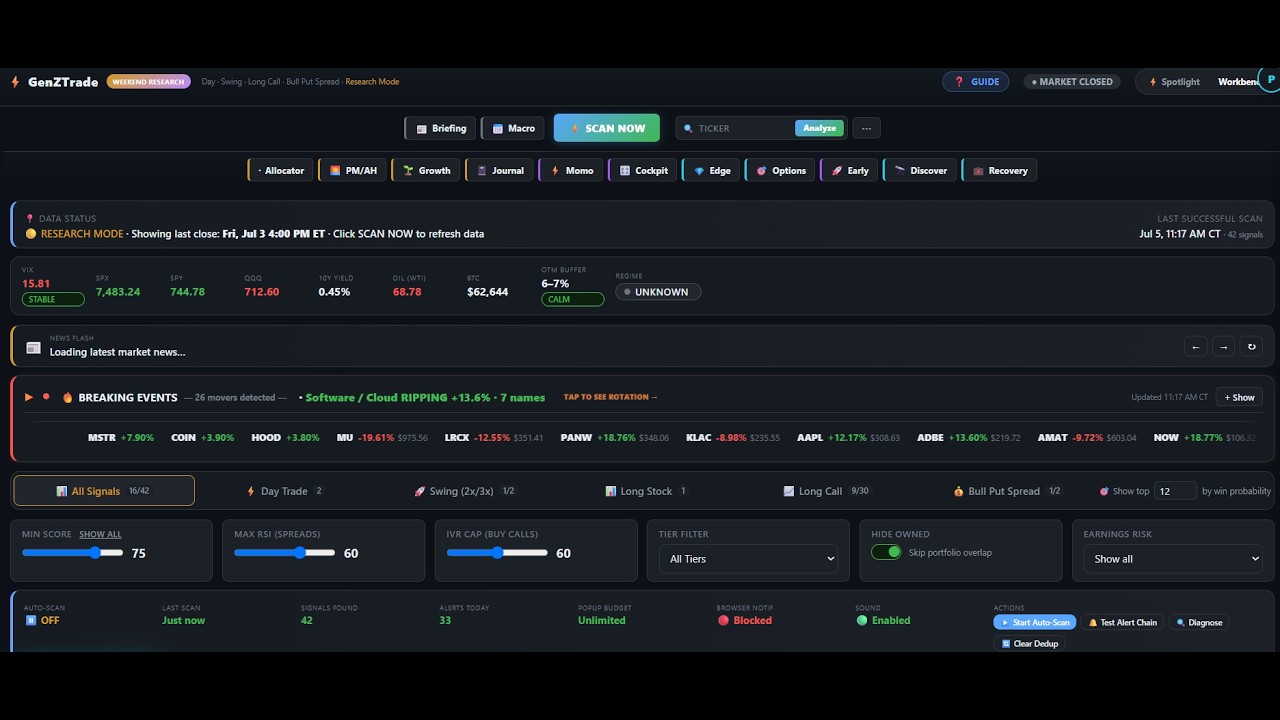
- Open the Scanner at /scanner. This is the entry point for all paid tiers — search, scan, and analyze tickers in your watchlist.
- (Pro+) Click COCKPIT from the Scanner toolbar to open the live alert dashboard — Momentum Trigger, Early Movers, Discovery, Long Growth, AI Allocator, and the real-time signal feed all in one view.
- Wait for alerts during market hours (9:30 AM – 4 PM ET). The "⚡ 1-MIN SCALP ALERTS" panel populates within 60s of the first detector firing.
- Click any alert chip → opens a chart modal with candles, VWAP, and Bollinger Bands. Decide whether to take the trade.
- Click "📍 TRACK" on the popup → adds the position to your tracker. The Quick Exit Engine watches your stops/targets automatically.
Pages explained
Your live dashboard. Six panels in one view: Market Context banner (trend, VIX, breadth), Stacked Conviction (multi-strategy agreement chips), Scalp Alerts (1-min triggers), Tracked Trades (your open positions + automatic stop/target monitoring), Buy The Dip (relative-strength opportunities when SPY is red), and Hedges (suggested protective trades during macro events).
Auto-refreshes every 30 seconds during market hours. Alerts also push instantly via Server-Sent Events when they fire — no need to wait for the next poll.
The multi-strategy scanner. Four tabs:
- Day Trade — RSI(2) bounces, opening-range breakouts, VWAP reclaims (intraday only)
- Swing — 2x/3x leveraged ETFs with a 4-gate confirmation check (1–10 day holds)
- Long Call — Outright call buying when implied vol is low (0DTE or swing)
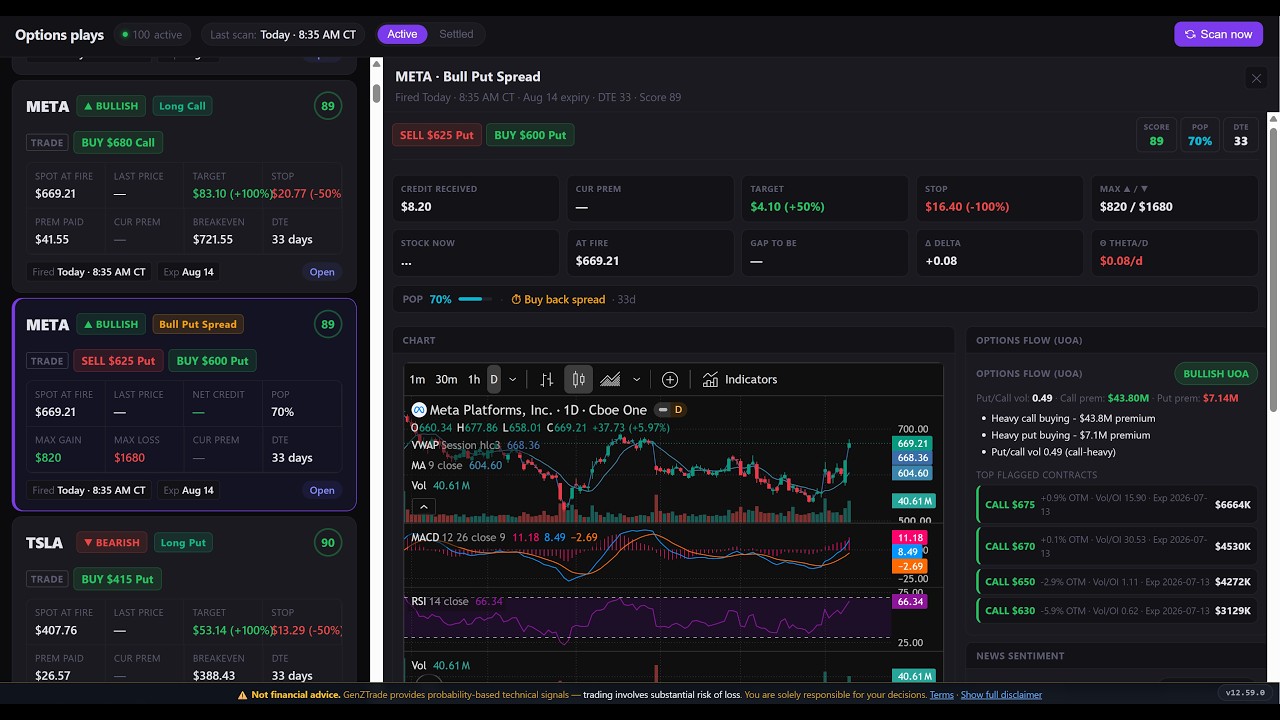
- Bull Put Spread — The credit spread engine, +$100 close / -$200 stop (1–7 day holds)
Each ticker gets a 0–100 score; you can filter to high-quality setups only.
The purple panel in the Cockpit. 16+ independent detectors run on 1-minute bars across our high-liquidity universe, looking for setups that historically resolve in 5–30 minutes. When any detector scores ≥ 75, you get a centered popup banner with sound, plus the alert lands in the side feed.
Click any alert chip to open the chart modal. Click "📍 TRACK" on the popup to start monitoring the position with automatic stop/target alerts.
16+ detectors run today and the roster keeps growing. Here are the core patterns and what each looks for:
- 🔊 Volume Spike — Current bar volume > 3× rolling 20-bar mean. Catches news/order flow surges.
- 📍 VWAP Bounce / Reject — Price extended > 0.5% from VWAP, touches it, then reclaims/rejects. Classic mean-reversion setup.
- 🎯 3-Way Confluence — RSI cross + VWAP-side + volume confirm, all aligned. Our highest-conviction signal. Mimics the LuxAlgo TradingView "Buy"/"Sell" labels.
- 🤖 UT Bot — ATR Chandelier trailing stop crossover. Matches the TradingView "UT Bot Alerts" indicator by Quantnomad.
- 💥 BB Squeeze → Breakout — Bollinger bandwidth at multi-bar minimum (compression) for ≥ 3 bars, then expansion ≥ +10% AND price breaks a band. The "coiled spring."
- 📈 ER-Z Forecast — Linear regression projects next bar; residual normalized by ATR to a z-score. Fires on z-crossings of ±1.5. Leads VWAP/RSI by 1–2 bars.
Click any scalp alert chip → centered modal opens with TradingView Lightweight Charts. Shows the last ~200 1-min candles with VWAP overlay (yellow), Bollinger Bands (BB(20,2), blue), and the BB midline. Resizable, responsive, ESC to close. Use this to confirm the setup before clicking TRACK.
AI-driven capital allocation engine. Feeds your watchlist + open positions + market context into an LLM and asks "where should the cash go today?" Returns structured allocations: ticker, direction, entry/target/stop, position size, hold horizon, win-rate estimate. Pro plan includes 50 AI calls/day; Elite is unlimited.
Daily portfolio review by AI. Reads your tracked positions, P&L, recent trades, and the day's market context. Produces a written game plan: what to hold, what to cut, what to add, sizing adjustments. Best run Sunday evening for weekly planning, or daily at the open for tactical review.
Finds stocks that aren't on your watchlist but are moving big. Filtered to >$50B market cap (no microcap noise). Run this when the morning news isn't enough — discovery catches the names institutional flow is moving without warning.
Live momentum scanner over your top-30 high-liquidity universe. Includes pre-market and after-hours sessions with adjusted thresholds. Useful for finding the day's leaders before they hit the major news.
2–3 month large-cap investment ideas. Less frequent signals, longer hold horizons, focused on quality compounders with strong momentum + reasonable valuation. Run weekly, not daily.
Catches stocks moving in the pre-market (4 AM–9:30 AM ET) and after-hours (4 PM–8 PM ET) sessions. Earnings reactions, news catalysts, gap-up/gap-down setups. The earnings-reaction detector tags WHICH earnings just dropped and HOW the stock is responding.
Log every trade you take — entry, exit, P&L, notes, setup type. Build the habit of reviewing weekly. The Cockpit's "Tracked Trades" can auto-close into the journal when stops/targets hit.
Upload your Fidelity (or other broker) positions CSV to get a Recovery Manager view: P&L by position, percentage from cost basis, suggested next actions (hold/add/cut), earnings dates for each holding. Helpful when you've been hit and need to decide where to take action.
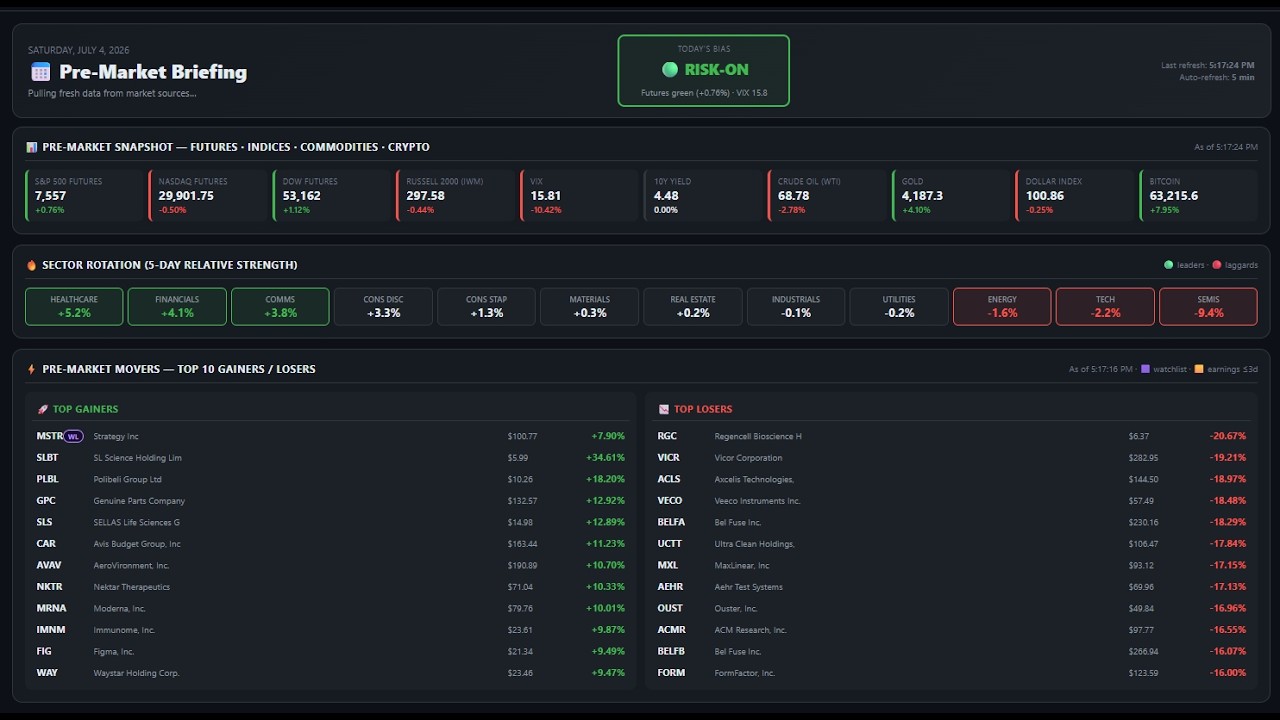
Single-page dashboard run at 8 AM CT: pre-market futures, sector heatmap, top news headlines, today's earnings, macro events, top 5 catalysts to watch. Free for everyone — great pre-market read with your coffee.
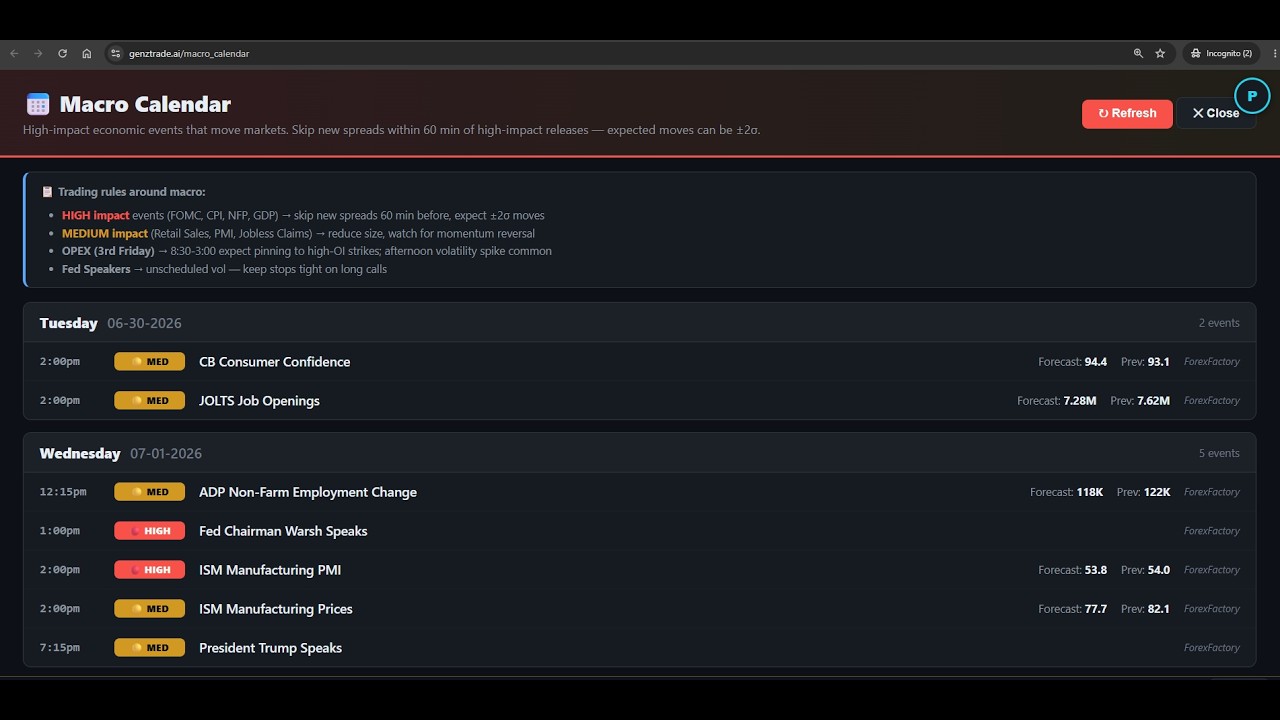
FOMC meetings, CPI/PPI releases, NFP, GDP, Fed speeches — everything that moves markets. Color-coded by impact (high/medium/low). The Cockpit's Macro Awareness ribbon also shows the next high-impact event so you don't get caught holding spreads through it.
Share your referral link. When a friend signs up and stays past their trial, you both get $10 credit toward your next month. Stackable up to $50/month off.
Change password, manage your plan (upgrade/downgrade), update notification preferences, configure WhatsApp/Telegram alert push, export your data (GDPR), delete account. Access via the avatar menu (top-right) → "Account settings."
Risk Disclaimer
Trading involves substantial risk of loss, including total loss of capital. Past performance is not indicative of future results. Historical win rates and back-test statistics are not guarantees.
You are solely responsible for your trading decisions, profits, and losses. Conduct your own due diligence on every trade. Consult a licensed financial advisor before making investment decisions.
Full Terms of Service and Privacy Policy apply.
Frequently Asked Questions
How accurate are the alerts?
Each detector includes a 0–100 score based on the strength of the setup (multiplier of volume vs average, distance from VWAP, slope strength, etc.). We push popup alerts only for higher-scoring setups to minimize noise. Backtests across our 16+ detectors show win rates in the 58–72% range depending on the pattern — a large-sample expectation, not a guarantee on any single trade. Every alert is also captured and settled win/loss/flat on our public track record, so you can verify live performance for yourself.
Why don't I see any alerts pre-market or on weekends?
Pre-market and after-hours coverage depends on your plan — Pro and above include the Pre-Market / After-Hours Radar. On the free and Trader tiers, most detectors run during regular trading hours (9:30 AM–4 PM ET, weekdays).
Can I add custom tickers to scan?
Yes — Account Settings → Watchlist (or via API). Trader plan: up to 50 tickers. Pro: up to 100. Elite: up to 200.
Is this real-time?
Alerts fire within roughly a minute of a 1-minute bar closing. Real-time delivery (no 15-minute delay) is included on all paid tiers.
How do I cancel my subscription?
Account Settings → Plans & Billing → "Manage Subscription" → opens Stripe Customer Portal where you can cancel any time. Pro-rated refund available within 14 days of payment.
Does GenZTrade send my data anywhere?
No. Your watchlist, tracked trades, and alert history are stored in our database and never sold or shared. We use Stripe for billing (they see your card, we don't) and Resend for email. See Privacy Policy.